Responsive Ads Here
LightBlog
Showing posts with label 7segment display. Show all posts

Saturday, August 11, 2018

7 Segment display Multiplexing with 74hc595 Shift Register Using Arduino

Overview
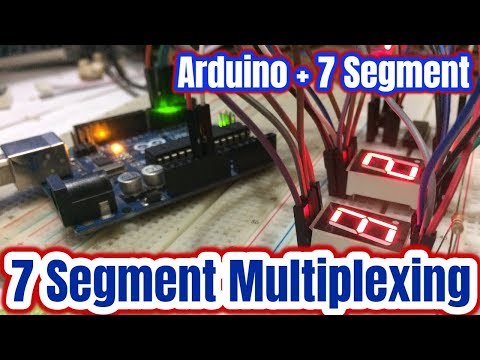
In this Arduino tutorial, we will how to multiplexing seven segment display with a 74hc595 shift register. A single digit display shows 0 to 9 decimal number. Ofen we need to display two, three, four or more digit decimal number, but the problem is lack of I/O (input/output) pins in the MCUs. To solve this problem we need to multiplexing. Here we will also use a 74hc595 shift register.


You can watch the following video below:-


Components Required

The following component needed for this tutorial.
  • Arduino Uno
  • 2 Common anode 7 segment display
  • 74hc595 shift register
  • 220-ohm resistor
  • Breadboard
  • Some jumper wire

Pin Configuration

The following figure shows common anode 7 segment display pinout. It has total 10 pins in which pin 3,8 common pin, pin 5 is DP and remaining pins are a,b,c,d,e,f,g.
Fig: Common anode 7 segment display pinout
Shift register 74hc595 pinout given below diagram:-
Fig: 74hc595 pinout

Circuit Schematic

The following figure shows the 7 segment display multiplexing with 74hc595 shift register using Arduino.
Fig: 7 Segment display multiplexing

Circuit Description

The shift register has 16 pins in which 7 output pins will connect with 7 segment LEDs pin. The shift register Vcc pin 16 and MR pin 10 will connect to +5V.  The ground pin 8 and output enable pin 13 will goes to ground. Next, shift register clock, latch, and data pins are gradually 11,12 and 14 will connect to Arduino digital pin 2, 3 and 4 respectively. Seven segment display common pins will connect to Arduino digital pin 6 and 7 through the 220-ohm series resistor.   

7 segment display ----------------- 74hc595 shift register
Pin_7(Seg_a)    ---------------          Pin_15(Q_A)
Pin_6(Seg_b)    ---------------          Pin_1(Q_A)
Pin_4(Seg_c)     ---------------          Pin_2(Q_A)
Pin_2(Seg_d)     ---------------          Pin_3(Q_A)
Pin_1(Seg_e)     ---------------          Pin_4(Q_A)
Pin_10(Seg_f)     --------------         Pin_5(Q_A)
Pin_9(Seg_g)     --------------          Pin_6(Q_A)


Source Code

This is the source code of multiplexing given below:-

Friday, June 1, 2018

Common Anode and Cathode 7 Segment display interfacing with Arduino

Overview

In this Arduino tutorial, we will learn how to interface common anode and cathode 7 segment display with Arduino. 7 segment display is most common and popular display to show the number in the digital electronics and embedded system. It can be displayed in 0 to 9 decimal number.  They are easy to use and cheap. 7 Segment displays are two types of display called common cathode (common negative) and common anode (common positive).

You can watch the following video below:-


Components Required

The required components list for this tutorial given below:-

  • Arduino Uno
  • 7 Segment Display Common Anode
  • 7 Segment Display Common Cathode
  • 220-ohm resistor
  • Breadboard
  • Some jumper wire
7 Segment Pinout

Seven segment display has total 10 pins in which one is DP pin, two common pins and remaining seven pins are a,b,c,d,f,g. The following below figure shows 7 segment display internal structure and pinout. 
Fig: 7 segments display pinout


Circuit Schematic

The following figure shows Arduino and the common cathode 7 segment display interfacing.
Fig: 7 segments common cathode display interfacing

The following figure shows Arduino and the common anode 7 segment display interfacing.
Fig: 7 segments common anode display interfacing

Circuit Description

Both types of seven segment display internal connection are nearly the same. The difference is the polarity of the LEDs and common terminal. In a common cathode display, we need to connect common pins to ground and others pin to +5V. Alternatively, in a common anode display, we need to connect common pins +5V.


Arduino--------------------Seven Segment
Pin_1     ----------------   Pin_7 (Seg_a)
Pin_2     ----------------   Pin_6 (Seg_b)
Pin_3     ----------------   Pin_4 (Seg_c)
Pin_4     ----------------   Pin_2 (Seg_d)
Pin_5     ----------------   Pin_1 (Seg_e)
 Pin_6     -----------------  Pin_10 (Seg_f)
Pin_7     ----------------   Pin_9 (Seg_g)


Source Code

Common cathode display Arduino source code given below:-


Common anode display Arduino source code given below:-


Alternative common cathode display Arduino source code given below:-


Alternative common anode display Arduino source code given below:-

Adbox
